
WORK IN PROCESS (WIP) TRACKING
USING BARCODE & RFID
INTRODUCTION
Tracking Work in Process (WIP) is crucial for Manufacturing, Assembly, and Service Industries to:
- Monitor Efficiency
- Manage Bottlenecks, and
- Maintain Delivery Schedules.
Both Barcodes and RFID can be effectively used for WIP Tracking, each with its own advantages. Often, a hybrid approach combining both technologies is the most powerful.
WORK IN PROCESS: TRACKING USING BARCODE
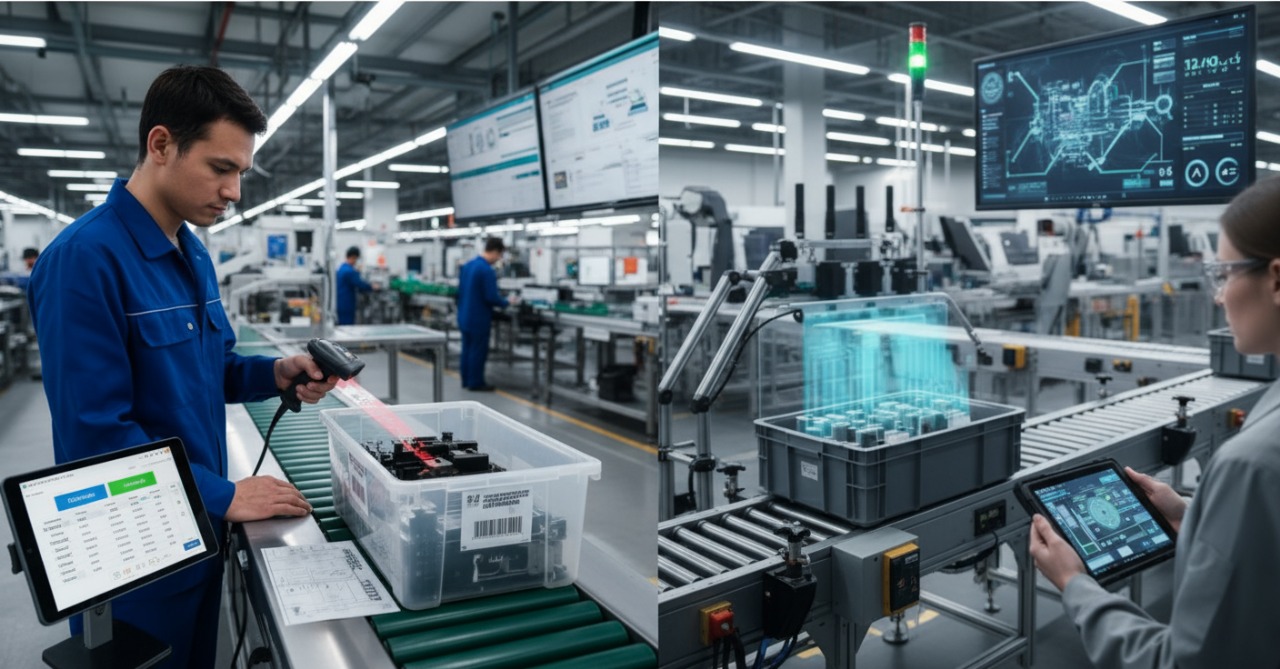
Work in Process (WIP) Tracking using Barcodes. This is a very common and effective method, particularly for discrete manufacturing or assembly operations.
The Core Concept:
Each unit, batch, or work order moving through a production facility is assigned a unique barcode. As this item passes through different stages or workstations, its barcode is scanned to record its progress, location, and the operations performed.
Detailed Workflow: WIP using Barcode
- Work Order Initiation:
- When a new work order begins, a unique identifier is generated for the item(s) to be produced.
- A barcode label is created and attached to the raw material, the initial component, a traveller document (a paper routing slip that accompanies the item), or a container holding the batch.
- Station Setup:
- Each distinct work center, machine, or assembly stage on the production floor is designated as a "reporting point."
- Barcode scanners (fixed, handheld, or even mobile devices with scanning apps) are available at each of these stations.
- Operators often have a way to scan their own ID badges as well, to log who performed the work.
- Process Step Tracking:
- Start of Stage: When an item arrives at a new workstation, the operator scans the item's barcode (and often their own ID badge). This signals that the item has entered this stage.
- End of Stage/Completion: Once the required operation is completed, the operator scans the item's barcode again. This marks the completion of the task at that station and logs the time taken.
- Movement to Next Stage: The item then physically moves to the next workstation, where the process repeats.
- Data Collection and Software Integration:
- All scan data (item ID, timestamp, station ID, operator ID, status) is immediately sent to a central system typically a Manufacturing Execution System (MES), Enterprise Resource Planning (ERP) system, or a dedicated WIP tracking software.
- This software compiles the data to provide real-time visibility into the status and location of all items on the production floor.
Key Data Points Captured:
- Item/Batch ID: The unique identifier for the product.
- Station/Work Center ID: Where the item is currently located or was last processed.
- Timestamp: When the item arrived at and departed from a station.
- Operator ID: Who performed the work (for accountability and performance tracking).
- Status: In progress, awaiting next step, completed, held, etc.
Benefits of Barcode-based WIP Tracking:
- Improved Accuracy: Eliminates manual data entry errors.
- Real-time Visibility: Provides current status of all production orders, enabling better scheduling and faster response to issues.
- Bottleneck Identification: Helps pinpoint where production is slowing down, allowing managers to reallocate resources.
- Enhanced Accountability: Clearly tracks who did what and when.
- Better Resource Utilization: Understand where labor and machines are being used effectively.
- Cost-Effective: Generally a lower initial investment compared to RFID.
WORK IN PROCESS: TRACKING USING RFID
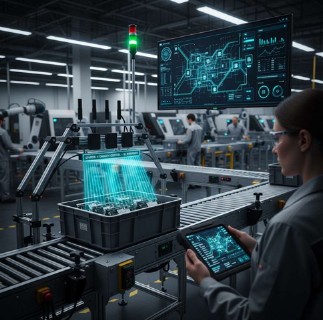
Work in Process (WIP) Tracking using RFID (Radio-Frequency Identification). This method offers significant advantages in terms of automation, speed, and real-time visibility over barcode systems, particularly in dynamic or high-volume production environments.
The Core Concept:
Each item, part, or the container holding them as they move through a production process is tagged with a unique RFID tag. Fixed RFID readers strategically placed along the production line automatically detect these tags as items pass by, updating their status and location in real-time without manual intervention.
Detailed Workflow: WIP using RFID
- Work Order Initiation & RFID Tagging:
- When a work order is started, raw materials or initial components are assigned an RFID tag. This tag holds a unique identifier linked to the work order in the central system.
- The tags can be embedded in pallets, attached to individual parts, affixed to containers/totes, or integrated into reusable manufacturing fixtures.
- RFID Reader Zones:
- The production floor is segmented into distinct work zones or stages (e.g., "Milling," "Component Insertion," "Testing," "Painting," "Final Assembly").
- Fixed RFID readers (and associated antennas) are installed at the entry and exit points of each critical work zone or bottleneck.
- These readers continuously emit radio waves to detect any RFID tags that enter their read zone.
- Automated Process Step Tracking:
- As an RFID-tagged item or container moves into a new work zone, the RFID reader at that zone automatically detects the tag.
- The reader sends the tag's unique ID, along with the reader's own ID and a timestamp, to the central WIP tracking software.
- The software updates the item's status, noting its arrival at the new station.
- When the item leaves the zone, it's detected by the next reader, further updating its progress.
- No manual scanning is required. The system automatically knows where an item is and how long it has been at a particular station.
- Real-time Data Collection and Software Integration:
- All RFID read events are instantly fed into a Manufacturing Execution System (MES), Enterprise Resource Planning (ERP) system, or a dedicated RFID-enabled WIP tracking software.
- This system provides a dynamic, graphical representation of the entire production flow, showing the exact location and status of every item in production.
- Dashboards display key metrics like cycle times, throughput, and bottleneck alerts.
Key Data Points Captured (Automatically):
- Item/Batch ID: The unique identifier from the RFID tag.
- Station/Work Center ID: The location of the RFID reader that detected the tag.
- Timestamp: The precise moment the tag was detected.
- Duration: Time spent at each station (calculated by the software).
- Sequence: The exact path taken through production.
Benefits of RFID-based WIP Tracking:
- True Real-time Visibility: Provides highly accurate, up-to-the-minute information on every item's location and status on the floor.
- Automation: Eliminates manual scanning, drastically reducing labor costs, human error, and delays.
- No Line-of-Sight Required: Tags can be read even if obscured, inside containers, or in challenging environmental conditions.
- Batch Reading: Multiple items can be detected simultaneously as they pass through a read zone, significantly speeding up process verification for batches.
- Improved Throughput: Minimizes pauses for scanning, allowing production lines to flow more smoothly and efficiently.
- Enhanced Accountability: While not directly tracking operators like barcode scanning can, it precisely tracks material movement.
- Faster Inventory Counts: WIP inventories can be done almost instantly using handheld RFID readers.
- Better Data for Analysis: Rich, continuous data streams enable advanced analytics for process optimization.
WORK IN PROCESS TRACKING COMPARISON: BARCODE VS RFID

Please find the below comprehensive comparison table, a clearest way to highlight the differences and similarities between Barcode and RFID for Work-in-Process (WIP) tracking.
| Feature | Barcode | RFID |
|---|---|---|
| Technology | Optical (scanners read printed patterns) | Radio frequency (readers communicate with tags) |
| Cost (Hardware & Tags) | Low to Moderate | Moderate to High |
| Line-of-Sight | Required (scanner must "see" barcode) | Not Required (can read through materials/obstructions) |
| Read Speed/Automation | Manual scanning, sequential reading (one at a time) | Automatic, simultaneous reading (multiple tags at once) |
| Read Range | Short (inches to a few feet) | Medium to Long (several inches to many meters) |
| Data Capture | Manual (operator scans) | Automatic (item passes reader) |
| Accuracy | High when scanned correctly, prone to human error if missed | High, less prone to human error due to automation |
| Data Storage | Limited (e.g., product ID, serial number) | Moderate to High (can store more detailed item history, sensor data) |
| Durability of Tag | Labels can be easily damaged, torn, or obscured by dirt | Tags are generally more robust, resistant to dirt, moisture, and wear |
| Read/Write Capability | No (read-only) | Yes (many tags are read/write, allowing data updates) |
| Environmental Factors | Affected by dirt, damage to label, poor lighting | Can be affected by metals, liquids, and other RF interference |
| Implementation | Simple, quick to deploy | More complex, requires careful planning and integration |
| Real-time Visibility | Near real-time at scan points, depends on frequency of scans | True real-time visibility, continuous tracking at checkpoints |
Ideal Use Cases: Barcode V/s RFID
| Feature | Barcode | RFID |
|---|---|---|
| Ideal Use Cases | Low-volume production, less complex processes, tight budgets, where manual scanning is feasible | High-volume production, complex assembly lines, harsh environments, where automation and real-time data are critical |
Summary Takeaways
Barcode
Barcode is the economical and straightforward choice for operations where manual scanning is acceptable, line-of-sight is not an issue, and budget is a primary concern. It provides good tracking data at discrete points.
RFID
RFID offers superior automation, speed, and real-time visibility, making it ideal for high-volume, complex, or dynamic manufacturing environments where the benefits of reduced manual labor, higher data accuracy, and enhanced operational insights outweigh the higher initial investment.
Many facilities even employ a Hybrid approach, using barcodes for initial component tracking and then RFID for critical assembly steps or finished goods.
Please feel free to connect back with us your enquiries and queries on Work In Process Material Tracking Application Requirements.
Open Requirement Form